Requested by you. Sent for a reason.
A small check.
A real email address.
RewardLift helps Shopify stores collect email sign-ups through reward games. When a store selects double opt-in, shoppers confirm their email before their subscription and reward are activated.
Single or double opt-in
The store owner chooses one sign-up method in RewardLift's general settings. It applies to all of that store's reward games and email popups. New installations start with single opt-in.
- Single opt-in: submitting the sign-up form subscribes the shopper immediately and makes the reward available without a confirmation email.
- Double opt-in: the shopper receives a confirmation email. Following its link confirms the subscription and activates the reward.
Why did I receive an email?
A verification email is triggered when someone enters an address in a participating store's RewardLift game and the store has enabled verification. It is a transactional message about that request, not a newsletter.
- Request a reward. Enter your email in the store's game.
- Check your inbox. Open the verification message and follow its time-limited confirmation link.
- Return to the store. Your address is verified and you can view the reward associated with your request.
Example message
Confirm your email to reveal your reward
You requested a reward from a store using RewardLift. Confirm your email to continue.
This is an illustration, not a working confirmation button. Your real link arrives by email.See the request and confirmation steps
These examples use RewardLift's actual shopper interface with fictional store data. They illustrate the double opt-in flow, not a customer testimonial or a claim about results. Store owners customize their design, messages, subscription notice and privacy link.
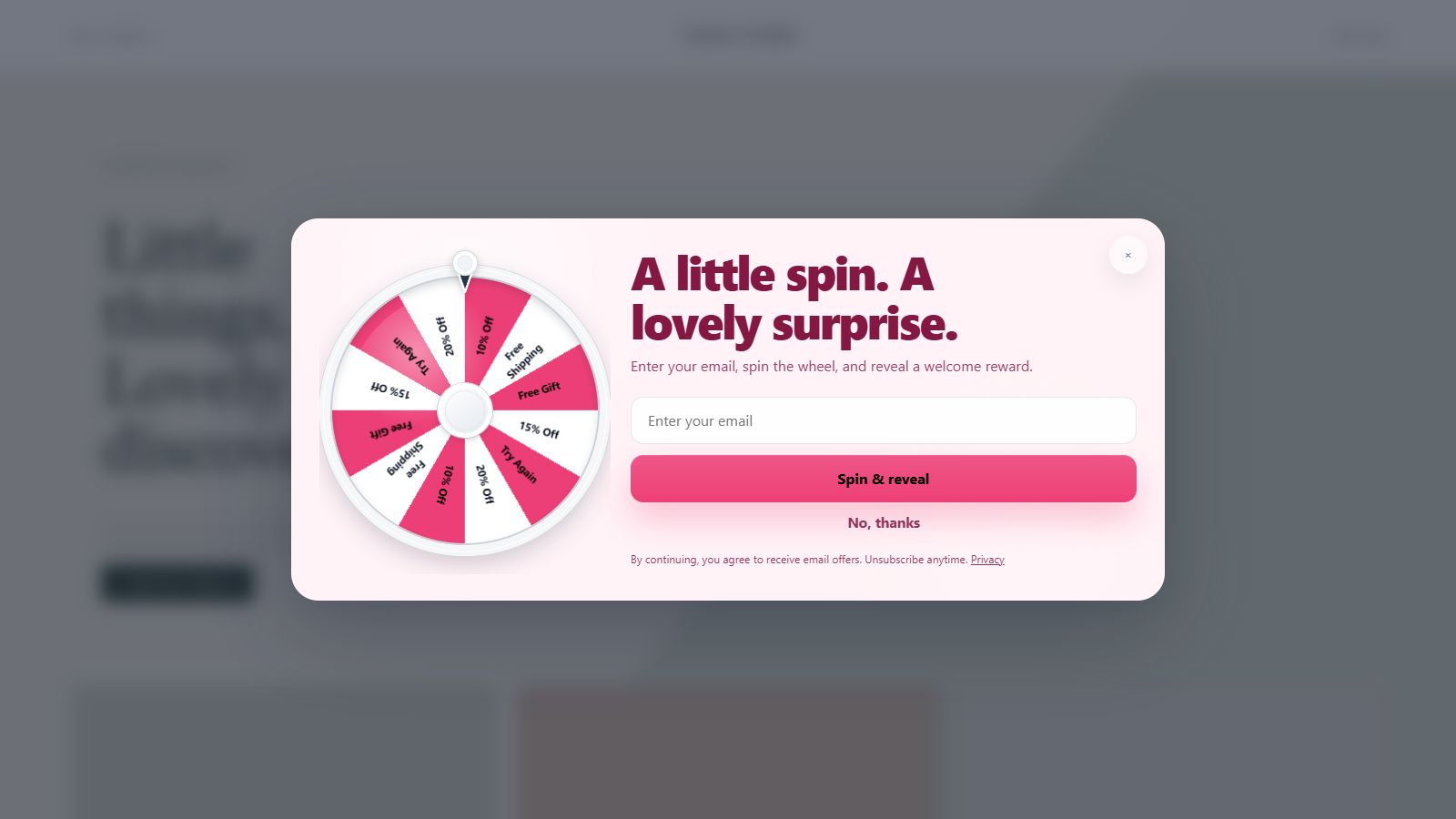

Who sends the message?
RewardLift's default sending address is verify@balkaniq-apps.com. Delivery is handled through Oracle Cloud Infrastructure Email Delivery. A store can use its own sending domain after verifying ownership. The message should identify the store where the request began.
Only confirm requests you recognise. Check the store named in the message before opening a verification link. RewardLift never asks for your password or payment details to verify an email address.
What if I did not request it?
Do not follow the confirmation link. You can ignore the message and let it expire. Verification is not completed unless the link is used. If messages keep arriving, request a sending block with the sender, store name and time received. Do not share an active verification link publicly. Our email policy explains requested messages and prohibited uses.
What happens when I submit the form?
With double opt-in, submitting the reward sign-up form requests a confirmation email for the store's email subscription. We do not use purchased or scraped mailing lists for confirmation messages. The link normally expires after 24 hours; a store may select between 1 and 72 hours.
Does this sign me up for marketing?
Yes. RewardLift's sign-up flow subscribes participants to the store's email list: immediately with single opt-in, or after they follow the confirmation link with double opt-in. There is no separate optional marketing checkbox in the current form. The store is responsible for clearly explaining its subscription and obtaining and managing any required marketing consent. Its confirmation email can include a customized subscription message. You can unsubscribe from the store's marketing emails.
Does winning a product make it available immediately?
After the reward is activated, any cart condition configured for that product prize still applies. The store can require a cart total, selected products or an item count. The gift is added automatically when the cart qualifies, subject to the reward's availability and expiry. Confirming an email does not place an order.
My link expired or my email did not arrive
Check your spam folder and that the address entered was correct. Return to the original store to request a new message if the game offers that option. Resend limits and expiry times protect the service from misuse. For an order or a reward's terms, contact the store; for a technical email issue, contact RewardLift support.
How is my address used?
We use it to deliver the requested verification, associate it with the store and reward, and record the result. The store may sync the contact to its Shopify customer segment according to its settings and your preferences. Read our privacy notice for details.